
AI Image Generator Buying Guide for Art Students: What Features Matter in 2026?
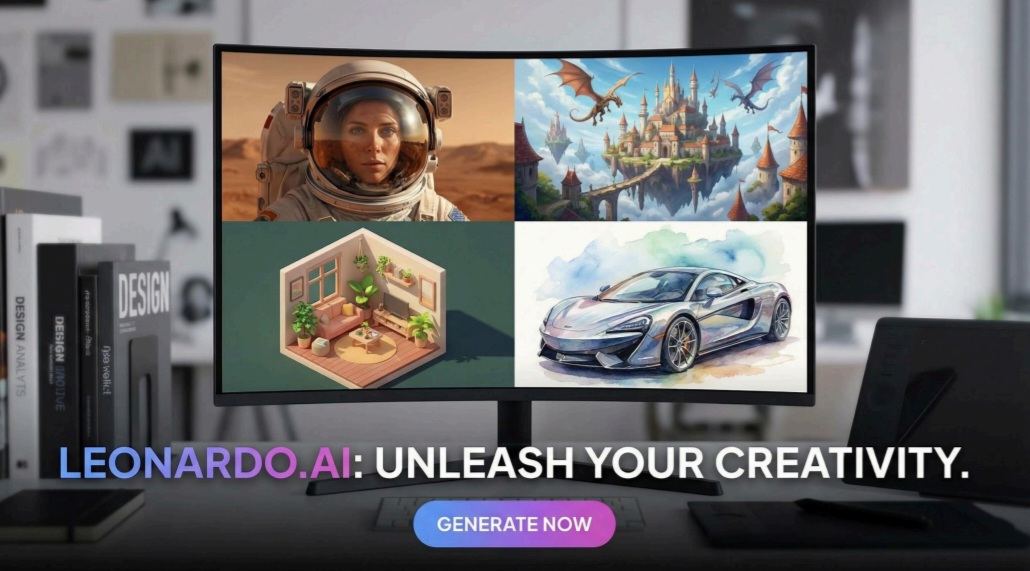
Last semester a sophomore illustration major built a full concept-art portfolio over winter break. She typed vivid prompts and watched entire worlds bloom in minutes—proof that generative AI now sits beside the charcoal and Cintiqs. Search for “best AI image generator” and you’ll find generic lists that ignore student budgets and campus policies. This guide fixes that. We focus on the tools, prices, and rules that matter to art students right now and score each generator across five classroom-ready factors. Ready? Grab a coffee, open your sketchbook, and meet the new brushes at your fingertips.
Budget & access
Money matters when you count supplies in packets of instant noodles.
Start with free tiers. Leonardo’s daily allowance of 150 images each day lets you iterate nightly without spending a cent. Midjourney closed its free window last year, so costs start the moment you join its Discord.
Look for genuine student deals, not marketing fluff. Adobe Firefly often rides on a campus-wide Creative Cloud licence, turning a mandatory fee into a two-for-one perk. Canva grants educators a Pro account at no charge if your .edu address qualifies.
Remember the hidden price of hardware. Browser-based tools run on any dorm Chromebook, but local Stable Diffusion needs a gaming-grade GPU or paid cloud hours. Factor that in before chasing “free.”
Check usage limits. Some platforms reset daily, others monthly, and a few only when your card is charged. Map those caps to your project calendar so the well doesn’t run dry the night before critique.
Budget sets the palette. Choose the tool that keeps you creating long after the meal plan ends.
Output quality and style range
A single prompt can create wildly different results from one engine to the next, so prioritize finish over features.
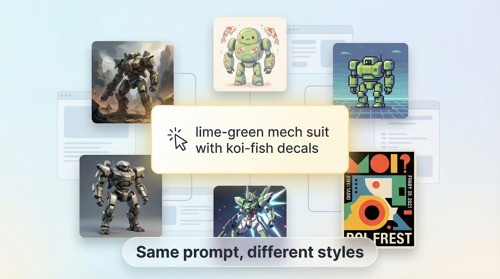
Midjourney still sets the bar for painterly drama and cinematic lighting. Its images jump off the screen and onto mood boards, which is why concept artists crowd its Discord. If your portfolio needs a standout splash page, few tools match that polish.
Leonardo answers with range. Switch models, tweak style presets, or train a small model on your own sketches and you can shift from oil-paint romanticism to crunchy pixel art without leaving the tab. That breadth matters when assignments swing from children’s-book illustration to cyberpunk matte painting in the same week.
OpenAI’s DALL
•E 3 shines in prompt fidelity. Ask for a “lime-green mech suit with koi-fish decals” and it follows every adjective like a diligent teaching assistant, keeping the composition clean on the first pass. Accuracy saves revision time when deadlines close in.
Watch the resolution ceiling. Firefly generates print-ready files from inside Photoshop, while the free Bing Image Creator caps output at 1024 square pixels and adds an extra upscale step. Small files can turn into hidden labour on delivery day.
Finally, test for consistency. If you need twenty storyboard frames that share lighting, lens, and character proportions, choose an engine with seed locking or fine-tuning. Stable Diffusion plus ControlNet fits that brief once you learn the settings, whereas Canva’s generator resets style with each run.
Quality is more than eye candy. It dictates how much hand editing you face later and how confidently you pin a printout to the critique wall.
Ease of use & learning curve
Grades do not pause while you fight a settings panel.
Canva shows what easy feels like. Open a template, click Text to Image, and a result appears in seconds, already sized for your slide deck. No jargon, no Discord commands, perfect for a 3 a.m. crunch.
DALL
•E 3 goes one step further. You talk to it. Type a plain-English prompt, request tweaks in the same thread, and watch the image refine as if you were briefing a classmate. That conversation turns experimentation into a dialogue instead of trial and error.
Midjourney’s power sits behind a steeper curve. The slash commands, parameter flags, and fast-scrolling Discord channels can overwhelm new users, yet after a weekend with a few “/imagine” examples and four key settings, you gain access to top-tier quality on demand.
Stable Diffusion is the deep end. Local installs, model swaps, and ControlNet extensions each add knobs that multiply creative control and cognitive load. Technical students thrive here; others stall out before the first render.
Remember that time is a resource. Choose the interface that keeps you making art, not chasing error messages, and your learning curve becomes a gentle slope.
Workflow integration
The best generator fits inside the software you already open before coffee.
Adobe Firefly lives in Photoshop. Select a blank layer, type a prompt, and the new texture lands where your brush once swept. No downloads, exports, or format juggling.
Leonardo keeps pace with an easy export pipeline. Click Download and the PNG drops into your Illustrator artboard or Blender scene. An upcoming API may let you script batches from a Processing sketch when your thesis needs sixty variations in one night.
Runway connects still images and motion. Create a concept frame, mask the subject, then push the same asset into Gen-2 video without leaving the browser. Film students appreciate that closed loop.
Remember collaboration. Cloud tools let partners comment, remix, or upscale from their dorms, and Discord servers double as critique spaces where classmates share prompt tweaks in real time.
Pick the generator that shortens hand-offs and your creative flow stays unbroken from spark to final print.
Licensing & ethics
Creative freedom means little if legal fog rolls in on presentation day.
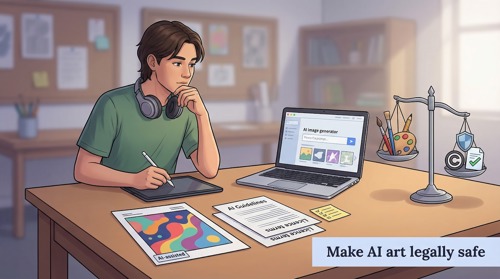
Every generator writes its own rulebook. Midjourney grants paying users full commercial rights, while images from a free Canva account fall under Canva’s broader content licence. That gap matters when your senior-show poster might double as a shop print next month.
Adobe Firefly relies on licensed training data. No random web scrapes, no famous painters slipped into the mix. That indemnity helps when you post AI-assisted work to Behance and recruiters start scrolling.
Open models like Stable Diffusion shift more responsibility to you. You own the pixels, yet you shoulder the risk if a prompt wanders too close to Disney or Banksy. Great power calls for restraint and a basic grasp of copyright.
Your campus may add another layer. Some departments now request disclosure labels on AI-generated elements, similar to citing a stock photo. Check the syllabus rather than Reddit before you submit an assignment.
A simple habit keeps you safe: credit the tool, credit yourself, and avoid celebrity likenesses or trademarked logos. Integrity looks good on a résumé and keeps cease-and-desist letters out of your inbox.
2026 trends to watch
Generative AI moves faster than studio chatter, so what feels fresh today might be old news by finals.
First, text inside images is finally clear. Ideogram cracked the code and rivals now chase its crisp lettering. Expect assignment briefs that once banned AI type to welcome it for posters and title cards.
Second, video generation is no longer science fiction. Runway Gen-2 turns still frames into short clips, and Midjourney is testing motion in closed beta. If your major covers motion design, learning prompt-to-video now is career insurance.
Third, regulation is tightening. The EU AI Act requires platforms to disclose training data, and many U.S. schools mirror that rule. Tools built on licensed libraries such as Firefly gain trust, while closed models face added scrutiny on campus.
Finally, attribution gets easier. Several sites are piloting watermarks that survive upscaling and compression, so you can label AI-assisted work without cluttering your signature.
Stay alert. Keeping pace with these shifts turns you from student to early adopter, the classmate others ask for the inside scoop.
Our ranking method
Transparency builds trust, so here is the math behind our picks.
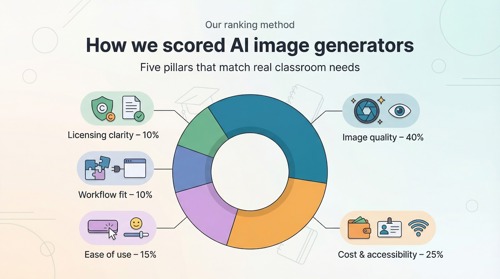
We scored each generator on five pillars that match real classroom needs. Image quality carries the most weight at 40 percent because a portfolio lives or dies on visual punch. Cost and accessibility hold 25 percent, reflecting student wallets and campus Wi-Fi. Ease of use claims 15 percent because no one has time to debug code during finals. Workflow fit earns 10 percent, rewarding tools that drop straight into Photoshop, Premiere, or group projects without friction. The final 10 percent goes to licensing clarity, shielding you from legal headaches when you sell prints at the spring market.
Each platform received a numeric grade in every pillar, multiplied by its weight, then tallied into a clean 100-point total. The math stays behind the curtain; you see only the ranks and the reasons. That way you focus on choosing the right brush, not crunching spreadsheets.
With the criteria set, let’s meet the tools that rose to the top.
1. Leonardo AI: best all-around creative generator for students
Leonardo feels designed for campus life, starting with up to 150 free images every 24 hours that let you iterate without panic. The Leonardo AI image generator dashboard shows a live credit counter and a row of style presets the moment you log in.
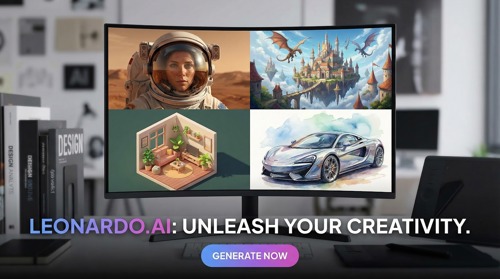
Leonardo AI image generator dashboard with credit counter and presets
Open it in any browser and you see clean sliders, style presets, and a bright Generate button that invites late-night play. The standout perk is clear: up to 150 free images every 24 hours. That allowance tops rival freebies and lets you refine a character sheet, a background, and still have credits left for tomorrow’s class.
Flexibility seals the deal. Swap among photoreal, anime, or vintage-poster models in two clicks. Need consistency across a series? Train a personal model on your own sketches and the AI will match your line weight like a diligent studio assistant.
Because everything runs in the cloud, even a battered laptop keeps pace. Exports land as crisp PNGs ready for Photoshop, Blender, or a Figma storyboard, and an open API hints at painless automation when thesis week hits.
Downsides? The wide range of settings can feel overwhelming on day one, and free images stay public, so keep sensitive capstone work in a paid tier. Still, for most students, Leonardo’s mix of no-cost volume and pro-grade control makes it the first brush to dip into.
2. Midjourney: best for top-tier visual quality
Midjourney is the generator that makes classmates stop scrolling.
Midjourney official site highlighting cinematic AI art quality
Its outputs deliver cinematic lighting, rich textures, and compositions that feel hand-painted by a seasoned concept artist. Post one image on the project forum and you look like you spent a weekend in a high-end studio, not a dorm room.
Quality carries a price. The Basic plan starts at 10 dollars each month, and there is no free tier to test first. Students still join because even that entry plan provides hundreds of frames, enough for a storyboard, a zine, and the occasional cosplay poster request.
The Discord workflow seems odd until it clicks. Type /imagine, add your prompt, and four thumbnails appear within seconds. Need tweaks? Use the built-in variation buttons or add simple flags such as --ar 16:9 for widescreen. After one evening of practice, the chat interface feels natural.
Strength brings quirks. Midjourney sometimes resists precise text or perfect symmetry, and its distinctive look can make projects feel “Midjourney-ish” if prompts stay shallow. Yet for pure, jaw-dropping visuals, few tools match its consistency.
Think of it as a finals-week ace. Generate the hero image, refine it in Photoshop, and let classmates wonder how you mastered digital painting overnight.
3. DALL
•E 3: best for effortless ideation
DALL
•E 3 feels less like software and more like conversation.
Open ChatGPT or Bing Image Creator, type a detailed scene, and the model turns words into pixels with impressive accuracy. You can follow with “Make it dusk and add fireflies,” and it responds like a patient studio partner rather than a code prompt.
That dialogue speeds brainstorming. Storyboarding a short? Describe each shot, collect coherent frames, then sketch over them in Procreate. Design class wants ten poster ideas? Generate them in one chat thread, tweak fonts, and you have options before the coffee cools.
Cost stays student friendly. Bing is free with daily boosts, while a 20-dollar ChatGPT Plus subscription offers unlimited images alongside GPT-4 text help. One fee covers writing assistance, prompt refinement, and final art when budgets tighten.
The trade-off is strict content filtering. Celebrity faces, certain art styles, and edgy themes meet a policy wall. For most coursework that guardrail brings peace of mind, but if your project leans into satire, expect polite refusals.
Outputs default to 1024-square resolution, so plan an external upscale if you need a gallery print. Even with that extra step, DALL
•E 3 remains the quickest route from abstract idea to visual proof.
Use it to clear creative block, then move the best frames into higher-resolution tools or your own paint layer for a personal finish.
4. Adobe Firefly: best for seamless Adobe workflow
Firefly turns Photoshop into a magic sketchpad.
Highlight an empty sky, type “neon sundown over retro skyline,” and the space fills itself while your brushes wait. No exports, no tab switching, just instant context-aware art that merges with your layers.
Because Firefly lives inside Creative Cloud, many art programs already cover the fee through a student licence. That bundle flips what could feel like premium pricing into an included bonus, saving money and setup time.
Trust is the wildcard. Adobe trained Firefly on licensed stock and public-domain images, so you can post results online or sell prints without worrying about hidden infringements. Faculty concerned about copyright breathe easier, and your résumé gains a line about “ethically sourced AI.”
Firefly leans toward photo-real edits and graphic textures rather than wild sci-fi vistas, yet that control suits projects where realism and clean type matter. If your workflow already revolves around Photoshop, this generator feels built in, ready to finish the canvas the moment you ask.
5. Stable Diffusion: best for open-source flexibility
Stable Diffusion is the DIY workshop of generative art.
Download a checkpoint, launch an Automatic1111 web UI, and every knob that commercial apps hide behind paywalls appears in front of you. Prompt strength, seed locking, and ControlNet pose guides all sit ready, like sliders on a recording console.
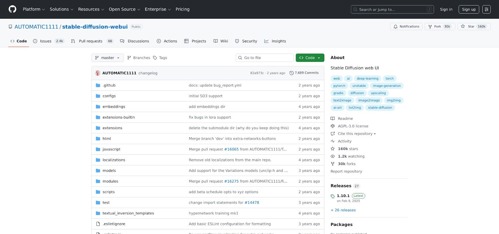 Stable Diffusion Automatic1111 interface with advanced controls
Freedom costs elbow grease, not cash. Run the model on a gaming laptop for zero per-image fees, or spin a Colab notebook for pennies an hour. That budget control helps when scholarship funds must stretch from tuition to tablet repairs.
Customization is the headline. Fine-tune the network on your thesis sketches and watch it return variations that mirror your line style. No other tool lets you shape the core model this deeply without calling a legal team.
The catch is complexity. Missing DLL? Driver mismatch? You are tech support now. Without built-in filters, ethical judgment becomes your responsibility, so cite references and avoid trademarked characters.
For students who love both art and code, Stable Diffusion feels less like software and more like a collaborative instrument. Master it and you can add “model trainer” to your creative résumé.
6. Canva AI: best for fast design inside Canva
Sometimes you just need a background, not a masterpiece.
That is where Canva’s built-in generator helps. While you drag shapes and text for a club poster, a side panel invites a prompt. Type “soft watercolor sky,” click Create, and the image drops onto your canvas already cropped to the frame.
Ease is everything. No extra login, no tech jargon, perfect for group projects when one teammate “isn’t artistic.” The free plan offers about 50 images each month, enough for slide decks, social posts, and the occasional mood board.
Upgrade to Canva Pro (often free with an .edu address) and the faucet opens wider. Watermarks disappear, resolution climbs, and you can export print-ready files. Teachers appreciate the school-safe filters. Classmates enjoy live co-editing without emailing assets.
Quality sits a notch below Midjourney, but speed wins when a presentation starts in an hour. Think of Canva AI as clip-art 2.0: instant, flexible, and copyright-clean for classroom use.
Keep it in your toolkit for moments when design takes priority over detail. One click, one graphic, on to the next slide.
7. Runway ML: best for multimedia and motion
Runway feels like a small production studio in your browser.
Start with text-to-image to capture a concept frame, mask the subject, then send that asset into Gen-2 video. Seconds later the scene drifts, zooms, or morphs—ideal for animation tests, music-video backplates, or experimental title cards.
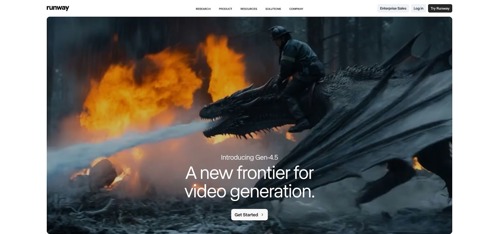
Runway Gen-2 text-to-video interface for student motion projects
Collaboration comes built in. Share a project link and teammates can tweak prompts, adjust grades, or download clips without passing giant files. Plug-ins for Premiere and After Effects keep film majors inside familiar timelines while AI handles background swaps and dream-sequence flourishes.
Credits are the currency. The free tier offers a handful of generations, but serious motion work needs the 15-dollar student-friendly plan. That cost still beats renting a greenscreen studio or buying stock footage when deadlines demand a fresh shot at 2 a.m.
Frame quality relies on Stable Diffusion under the hood, so single images may not match Midjourney’s painterly flair. Yet no other tool in this list turns those frames into moving clips with one click, making Runway the first choice when your assignment blurs still art and film.
Treat it as your AI cinematographer, ready whenever your storyboard wants to breathe.
8. Artbreeder: best for collaborative evolution
Artbreeder feels like a dorm-room jam where images riff on each other.
Instead of typing paragraphs, you move sliders for colour, style, and facial features, then watch portraits or landscapes shift in real time. Grab two existing images, click Crossbreed, and a hybrid appears that is part familiar, part surprise.
This remix culture fuels discovery. Browse the public gallery, fork any piece, adjust a few sliders, and publish your variation back to the community. The loop mirrors critique class: iterate, share, collect feedback, repeat.
The free tier provides five credits each month, enough to explore ideas without spending a cent. Step up to the nine dollar Plus plan for higher resolution or private canvases when portfolio work must stay under wraps. Because it runs in the browser, collaboration is instant; classmates can open your link and evolve the same file before studio ends.
Outputs lean stylistic, ranging from dreamy portraits to painterly scenery and anime mash-ups, so Artbreeder complements rather than replaces photoreal tools. Use it to break creative block, build character lineages, or test style fusions you could not sketch by hand.
Think of Artbreeder as an AI sketchbook, always ready when the page feels blank.
9. Ideogram: best for built-in typography
Most generators stumble over the alphabet. Ask for “OPEN STUDIO” on a street sign and you get hieroglyphs. Ideogram spells it correctly, kerning and all.
Type your phrase after the text: tag, pick a style—retro neon, wood-block print, minimalist sans—and watch letters form inside the art instead of floating on top. The result feels like a poster mock-up straight from a design sprint.
Access is painless. The web app stays free during an extended beta, so you can test prompts without watching a credit meter. No install, no GPU, just a login and an idea.
Quality sits between Canva’s convenience and Midjourney’s drama, yet its niche skill turns heads in critique. Need a zine cover, a meme for social strategy class, or a logo concept for a friend’s startup? Ideogram handles the layout before Illustrator refinement.
Text accuracy is still new territory, so expect the occasional crooked baseline or quirky ligature. Even with small fixes, the time saved beats redrawing warped AI letters by hand.
Keep Ideogram close whenever words must look as sharp as the surrounding imagery.
10. NightCafe: best community and ongoing free credits
NightCafe feels like the campus quad of AI art.
Log in and you meet a feed of student experiments, daily challenges, and friendly comment threads. Submit an image, earn credits, level up, and gain more generations. The gamified loop keeps you creating even when the wallet is empty.
Variety is the secret sauce. Switch among Stable Diffusion, DALL
•E 2, or NightCafe’s own CLIP-guided modes with a dropdown, then compare styles side by side. Perfect when a professor asks you to test multiple visual approaches before choosing a direction.
The credit system rewards consistency over cash. Daily logins, challenge entries, and upvotes add tokens so you rarely hit a hard stop. Need a burst of high-res finals? The ten-dollar Hobbyist plan delivers a hundred credits, costing less than a new sketchbook.
Galleries are public by default, so expect constructive feedback and the occasional prompt borrow. Treat that openness as a built-in critique circle. Privacy toggles exist if your project must stay under wraps until show day.
NightCafe will not outshine Midjourney in detail, yet its supportive ecosystem makes it an ideal sandbox for beginners. Think of it as your AI art club, open all day and always ready to cheer on the next creative risk.
Comparison table: quick glance at the top tools
Before the FAQs, keep this cheat sheet close. Scan the rows, spot the perk you need, and choose with confidence.
|
Tool |
Free tier |
Student-friendly cost |
Stand-out feature |
Best for |
|
Leonardo |
150 images per day |
$0 or $10 upgrade |
Custom model training |
Overall versatility |
|
Midjourney |
None |
$10 Basic |
Unmatched artistic quality |
Show-stopping visuals |
|
DALL |
None |
$10 Basic |
Custom model training |
Show-stopping visuals |
FAQs: straight answers for studio life
Is using an AI generator considered cheating in art class?
In most programs the rule is simple: claim AI work as entirely your own hand-drawn effort and you break academic integrity. Treat the generator as a reference or production tool; credit it in your process notes, and professors usually applaud the initiative. When in doubt, ask early, because faculty write new guidelines every semester and prefer openness over surprise.
Can I sell prints or freelance with AI images?
Yes, if the platform’s licence grants commercial rights and you respect trademark law. Midjourney, for example, gives paying subscribers full commercial clearance. Adobe Firefly goes further by indemnifying users because its model trained on licensed stock. Keep records of prompts, iterations, and final edits so you can prove human authorship if anyone questions originality.
What is the best totally free option when my bank balance hits zero?
Combine Bing Image Creator (unlimited DALL
•E 3 boosts reset daily) with Leonardo’s 150-image allowance and you will rarely run dry. Add NightCafe’s login bonuses and you can cover nearly every assignment without spending a cent.
Do I need a gaming PC to run these tools?
Not unless you choose Stable Diffusion locally. Everything else, including Midjourney’s Discord bot and Canva’s side panel, renders in the cloud and streams results to any browser, even the campus library Chromebook. A solid Wi-Fi signal matters more than GPU power.
Conclusion
Remember, the smartest artists master both brush and policy. Know the rules, pick the right licence, and focus on making work that speaks louder than any debate about the tool you used.